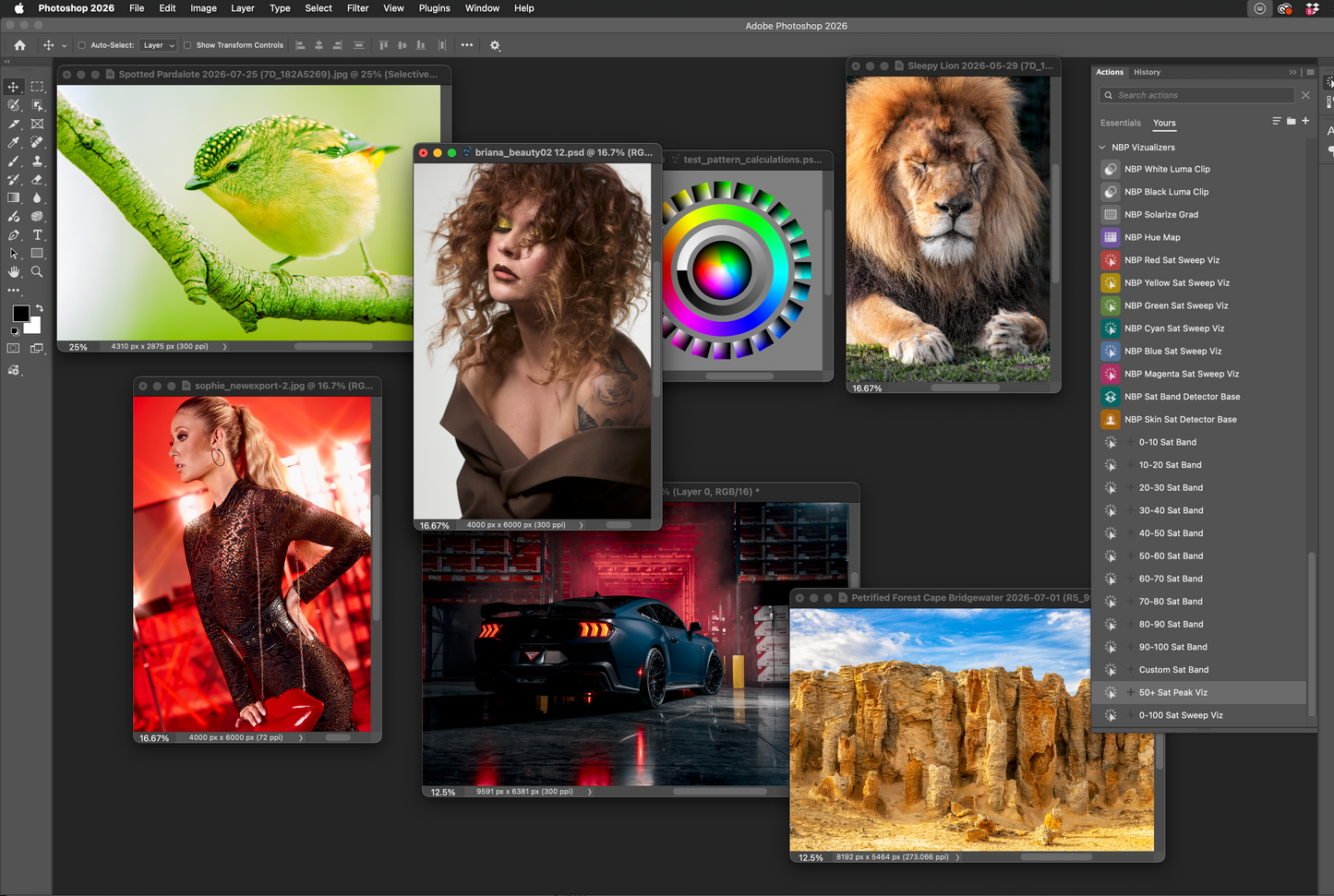
NBP Saturation Analysis and Control 1.5 is my collection of Photoshop Actions built to help you actually see what saturation is doing in your images, instead of relying entirely on your eyes and sliders.
Version 1.5 expands the set with the new Saturation Map Tri-range system, designed to break saturation into three useful ranges that can be visualized and turned into masks.
Original gives you the core tri-range saturation map. Expand spreads the ranges apart for stronger separation and easier identification. Custom lets you define the ranges yourself, giving you much more control over exactly which saturation levels you're analyzing or targeting.
And because these aren't just visual maps, the resulting ranges can also be used for masking, turning saturation analysis into something you can actually use for targeted editing.
These aren't presets, looks, or one-click color grades. They're analysis and visualization tools designed to expose saturation and chroma information in ways Photoshop doesn't normally make obvious.
Analyze individual color ranges with the Red, Yellow, Green, Cyan, Blue, and Magenta Saturation Sweep Visualizers. Explore the entire saturation range from 0–100. Isolate specific 10% saturation bands, build your own custom band, find where saturation peaks, analyze skin saturation specifically, or use the underlying detector bases to experiment and build your own workflows.
They're useful for comparing saturation between images, evaluating consistency across a series, studying where chroma is concentrated, finding unexpected saturation, analyzing skin, building saturation-based masks, and simply developing a better understanding of what color is actually doing in an image.
The set also includes a few bonus luminosity and color-analysis tools, including white and black clipping visualizers, plus a Solarize Gradient, Hue Map, Chroma and Luma Maps, and Saturation Threshold.
Some of these tools are immediately practical. Some are diagnostic. Some are educational. And some are deliberately there to let you nerd out, experiment, and look at your pixels in ways you probably haven't before.
That's the point!
NBP Saturation Analysis + Control turns color information into something you can inspect, compare, isolate, mask, and learn from.
And like most of my newer tools, this isn't intended to sit still. I'll continue experimenting, expanding the set, and adding useful new visualizers as I develop them, so watch for updates after you purchase!
Works with Photoshop 2026 and newer.